
Planning and scheduling (APS)
Plan with the critical path in view
Industric builds each project's schedule with its dependencies and milestones, flags the activities that set the delivery date and alerts you when one slips. That way you know in time what puts an order at risk, not on the delivery date.
- Code
- APS
- Available in
- All plans
- Plans
- Compare plans
01The problem
Delays are discovered when there is no margin left
In a make-to-order shop, every project competes for the same machines and people. A spreadsheet schedule stops reflecting reality within a few days.
Schedules nobody updates
The Gantt chart is built at the start of the project and goes stale with the first change on the floor.
No view of which task is critical
Every task looks equally urgent, so nobody knows which one to move first to save the date.
Promised dates with nothing behind them
Deliveries are committed without comparing the agreed plan with actual progress.
02Demo
The critical path, against the baseline
Each dashed bar is what was agreed with the customer; the solid one is what is happening on the floor. Tasks in blue set the delivery date.
- Committed delivery
- 07/11/2026
- Forecast delivery
- 09/11/2026
- Critical tasks
- 4 of 9
- Actual / baseline
- 58% / 64%
Sample view · illustrative data · today 14/10/2026
03How Industric solves it
Every feature, tied to a result
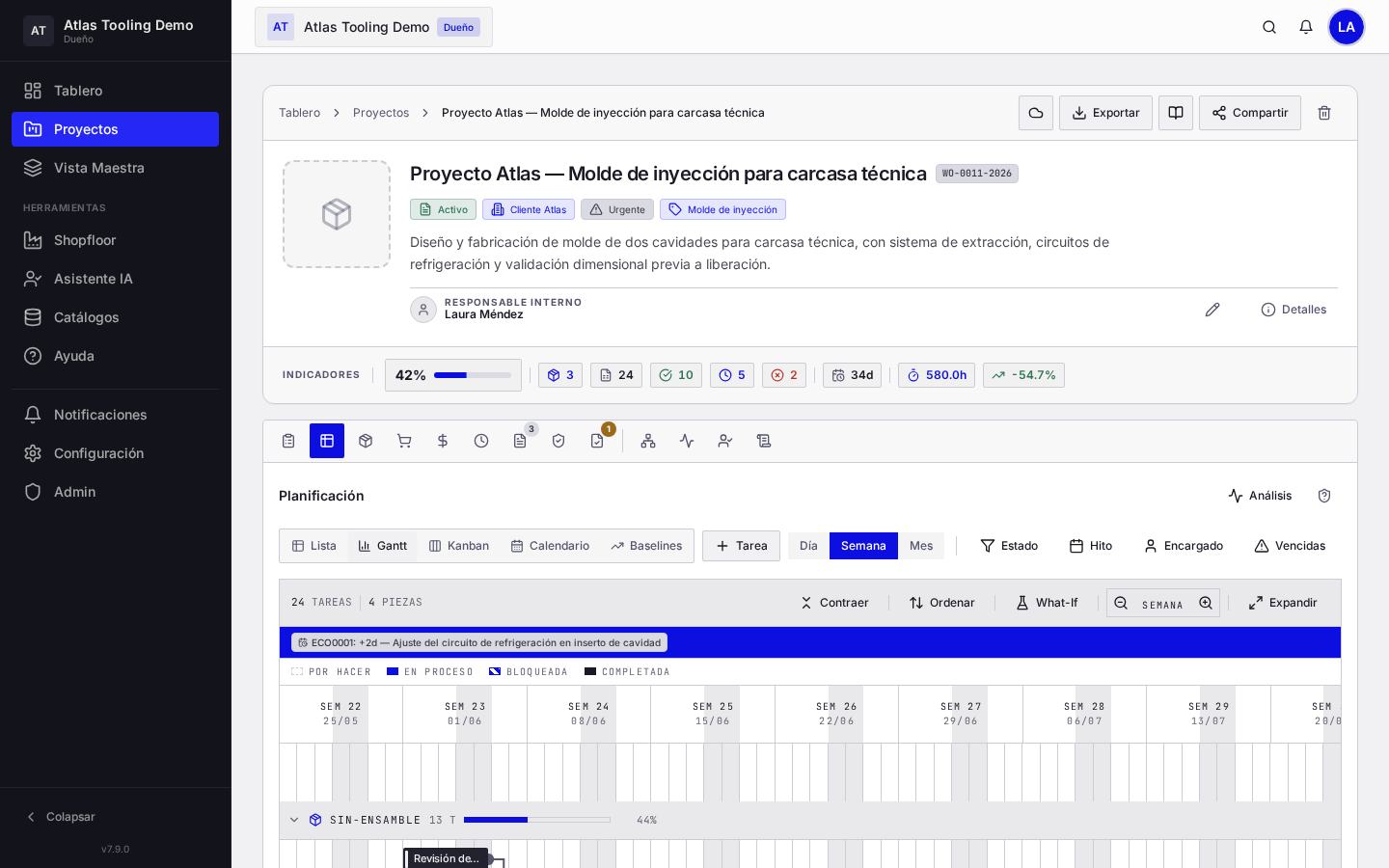
Industrial Gantt with dependencies
Tasks, milestones and deliverables linked finish-to-start. If a task moves, the following ones adjust.
Critical path (CPM)
Highlights the activities that determine the final delivery date: the ones that cannot slip without moving the project.
Scenario simulation
Test what happens if a part is delayed a few days with simulation bars, before changing the official schedule.
Baselines
Freeze the plan agreed with the customer and compare it with the actual schedule at any time.
Variance control
Automatic indicators when a task exceeds its planned time or progress.
04How it works
From order to schedule in four steps
Create the project with the delivery date and milestones agreed with the customer.
Add the tasks for design, purchasing, machining and assembly, with their dependencies.
Save the baseline to keep the contractual plan as a reference.
Follow real progress: shop-floor logs update the schedule and the critical path.
05FAQ
About planning in Industric
What is the critical path?
It is the sequence of activities that sets the delivery date. If one of them slips, the whole project slips. Industric calculates it and highlights it on the Gantt chart.
Does it replace my spreadsheet schedule?
Yes. The schedule lives in Industric and is updated with the progress the shop floor logs, without copying data from one sheet to another.
Can I compare what was promised with what actually happened?
Yes. When you save a baseline, Industric shows at any time the difference between the agreed plan and actual progress.
06Other modules
Continue with another module
Demo
See it with a project like yours
In the demo we walk through a project from start to finish. We reply within one business day to schedule it.